Showing posts with label ZTE. Show all posts

11.2.17

Unlock Busy 4G MiFi M028T Mifi (Shanghai Boost Even)

Unlocked Busy MiFi M028T
Unlocked Busy MiFi M028T 
M028T is a 4G LTE Mobile Wifi from Shanghai Boost Even Technology Limited.
Shanghai Boost Even Technology Limited launched M028T in Ghana with Busy Ghana carrier. You may find this 4G device in other countries like Egypt, Uganda, Kenya, Cameroon, and Zambia locked to Vodafone.

M028T 4G Mobile WiFi Technical Specifications:
How to Unlock Busy M028T?

* Frequency bands:
- TD-LTE@B38(2600MHz)/B41(2500MHz)
- FDD-LTE Band 1/3 (1800/2100mhz)
- CDMA: BC0/BC1
- WCDMA 850/900/1900/2100MHz
- GSM@B8(900MHz)/B3(1800MHz)/B2(1900MHz)

ALSO, SSID BROADCAST FOR WIFI WORKS PERFECT!

How to unlock M028T Locked to Busy 4G?


1. Insert an unaccepted sim card in your M028T 4G LTE MiFi (unaccepted means from a different network than the original carrier or operator)

2. Connect the M028T 4G LTE Mobile WiFi to the PC by USB / WiFi connection.

3. Install all new drivers for your M028T 4G LTE Mobile WiFi (Kindly skip this step if the drivers are already installed or connected via Wireless connection)

4. Message to enter a network unlock code should appear,
* If the unlock message doesn't appear;
How to get M028T 16 Digits Unlock Code
Enter the following sequence in your web browser 192.168.0.1 or 192.168.1.1
- for login and password enter "admin"
- check in which option a request for a network unlock code appears,


5. Enter the 16 digits network "PH-NET PIN" or unlock code provided by "Fast Unlock Team"
Unlocked Busy 4G M028T
Device is now capable of working with any service provider network or SIM card as well as the default.

NOTE I: OUR UNLOCKING FORMULA IS PERFECT! NO DAMAGES.
Call us to have maximum freedom over your device

NOTE II: We stopped providing "PH-NET PIN" of M028T 4G LTE Modem because it does not work for most of the devices. The operator changes the factory codes after receiving the modems. We are still working on a solution..

Currently, we  provide Direct Unlock Solution which requires that you bring the device for unlock.
We also provide unlock solution for M028T 4G LTE MiFi with the help of "Teamviewer". (For international customers)


Unlocked Boost Even Techonology M028T Modem
                                  THIS DEVICE REQUIRES DIRECT UNLOCK!

Factory unlock code is $9 /GH₵35, you can pay through PayPal or Mobile Money - MTN Money, Airtel Money, Vodafone Cash, or tiGo Cash.

For your NCK /  Unlock code:
E-mail: fastunlockghana@gmail.com
Call / WhatsApp  +233561461686
Read More »

11.1.17

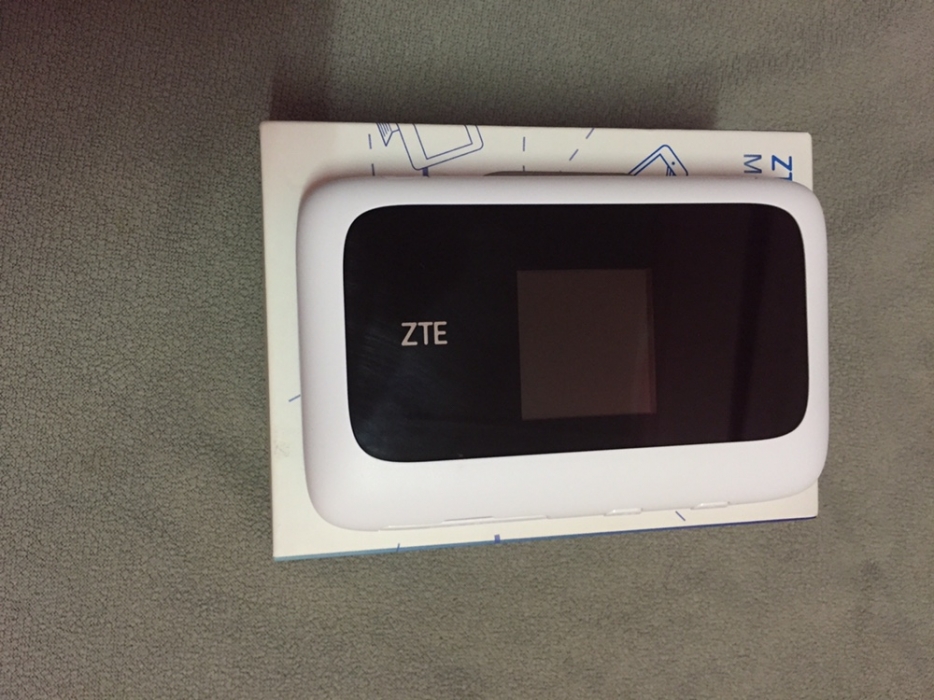
Unlock Airtel MiFi ZTE MF910 Router

Airtel Uganda has just launched its wonderful 4G MiFi that connects up to 14 Wi-Fi enabled devices at the same time including – Smartphones, Tablets, Laptops, Computers, Game Consoles etc.
Airtel’s modernized network is first nation-wide UMTS900 deployment in Uganda and raises performance while lowering CAPEX and OPEX.
Airtel MiFi ZTE MF910 Router

Features
· Peak Data Rate: LTE FDD:DL/UL 150/50Mbps
· DC-HSPA+: DL/UL 42/5.76Mbps
· Wi-Fi: 802.11b/g/n, 2.4GHz & 5.8G
· MicroUSB port with in built Antennas
· Supports 14 users at a time
· Battery: Li-Ion battery 2300mAh

You can unlock this device so you can be able to use it with any other Network carrier whenever you get out of coverage area or travel. Afterwards, your device becomes a universal 4G MiFi and that adds value (retail value) to your device.
Unlocked Airtel MiFi ZTE MF910

How to Unlock Airtel MiFi ZTE MF910?

1. Make sure that your Airtel MiFi is fully charged.

2. Change the default SIM with another network provider SIM and plug to Windows PC using USB cable.

3. Let it install all the drivers and software which is required by ZTE MF910 to run it properly.

4. Now, open the Internet Explorer and type in browser 192.168.0.1 or whatever is the default IP address of your router. (192.168.1.1)

5. Login to router dashboard. (Default username and password are "admin" if not then check the router manual).

6. Search for NCK / Unlock / Password / SIMLock Code option and put the correct 16-digit unlock code.

7. Now reboot the Airtel ZTE MF910 Router and it will show the another network provider SIM. Your device is unlocked to use all networks

8. Create the new profile according to the new SIM card and connect to the internet.

When unlocked it can take any SIM card worldwide. Contact us for your NCK Code/SIMLOCK Code

THIS DEVICE REQUIRES DIRECT UNLOCK!
Unlock Airtel ZTE MF910

Note : Unlocking Airtel MiFi MF910 is not free. Fee is $10
Kindly call or whatsApp and mention model number with IMEI number in the transactions. If you are facing the problem, then leave a comment.

For your NCK /  Unlock code
E-mail: fastunlockghana@gmail.com

Call / WhatsApp  +233561461686
Read More »

Unlock Busy 4G MiFi ZTE MF910

Busy Internet, Ghana’s Newest 4G Network have just launched its wonderful 4G MiFi that connects up to 14 Wi-Fi enabled devices at the same time including – Smartphones, Tablets, Laptops, Computers, Game Consoles etc.
Unlocked Busy MiFi ZTE MF910 4G Plus
Unlocked Busy MiFi ZTE MF910

You can unlock this device so you can be able to use it with any other Network carrier whenever you get out of coverage area or travel. Afterwards, your device becomes a universal 4G MiFi and that adds value (retail value) to your device.

How to Unlock Busy MiFi ZTE MF910?

1. Make sure that your Busy MiFi is fully charged.

2. Change the default SIM with another network provider SIM and plug to Windows PC using USB cable.

3. Let it install all the drivers and software which is required by ZTE MF910 to run it properly.

4. Now, open the Internet Explorer and type in browser 192.168.0.1 or whatever is the default IP address of your router. (192.168.1.1)

5. Login to router dashboard. (Default username and password are "admin" if not then check the router manual).

6. Search for NCK / Unlock / Password / SIMLock Code option and put the correct 16-digit unlock code.

7. Now reboot the Busy MiFi 4G Plus and it will show the another network provider SIM. Your device is unlocked to use all networks

8. Create the new profile according to the new SIM card and connect to the internet.

When unlocked it can take any SIM card. Surfline SIM card, MTN SIM card, Vodafone SIM card, Tigo SIM card, Glo SIM card, Airtel SIM card, etc. Contact us for your NCK Code/SIMLOCK Code

THIS DEVICE REQUIRES DIRECT UNLOCK!
Unlocked Busy MiFi MF910

Note : Unlocking Busy MiFi MF910 is not free. Fee is GHC 30
Kindly call or whatsApp and mention model number with IMEI number in the transactions. If you are facing the problem, then leave a comment.

We have unlocked the following ZTE MF910 Routers:
ZTE MF910 Busy Ghana
ZTE MF910 Airtel Uganda
ZTE MF910 Vodafone Uganda
ZTE MF910 MTN South Africa
ZTE MF910 Bolt Hydra Indonesia

CONTACT US:+2335­61461­686
Read More »